01
Start with today.
See today’s work, overdue tasks, and recurring routines in one place. Give each task a date, a duration, and an energy level.
Path
An iPhone app by Terzima
Coming soon to the App Store
Turn your projects into daily progress. Path keeps your tasks, checklists, and schedule together—with room for plans to change.
Free & open source · Works offline · No account needed
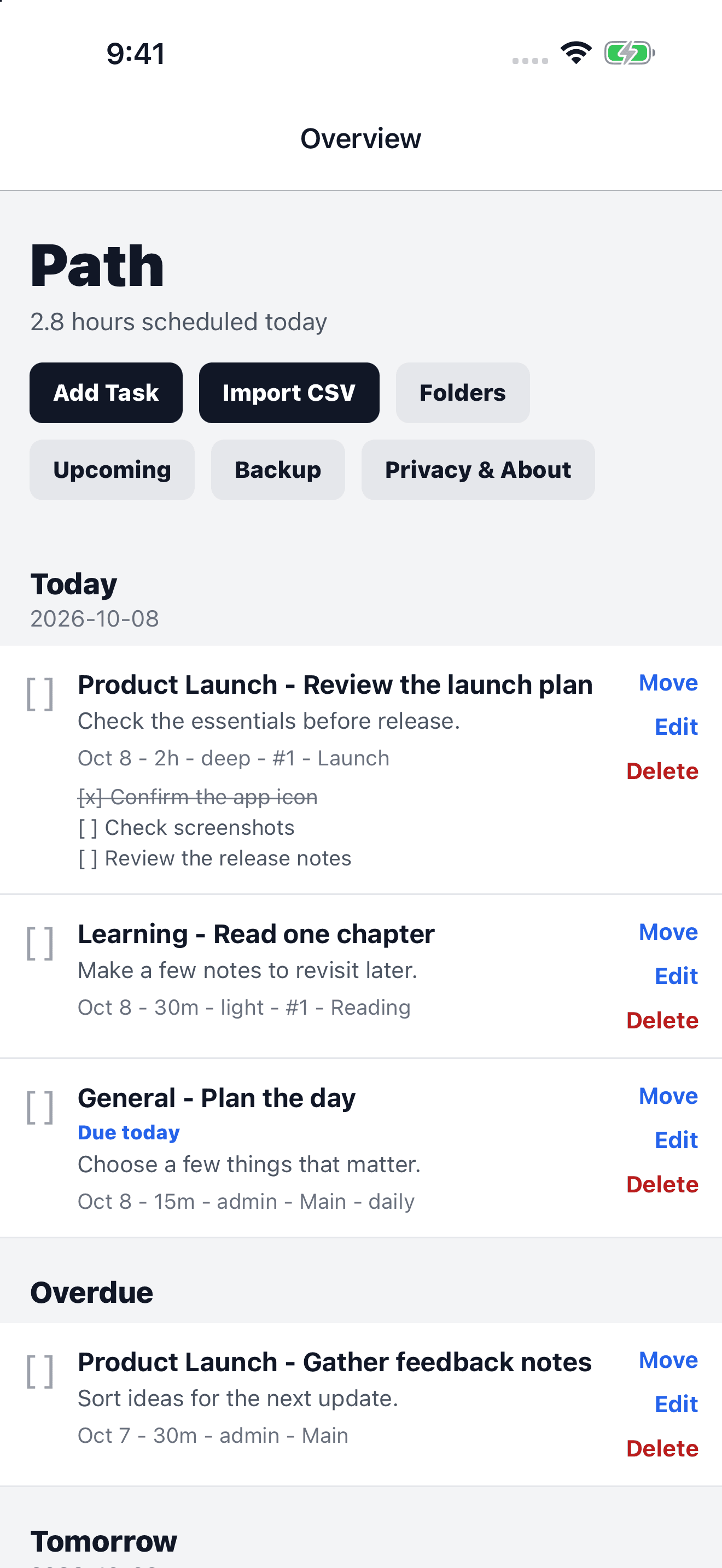
01
See today’s work, overdue tasks, and recurring routines in one place. Give each task a date, a duration, and an energy level.
02
Keep work in folders, break tasks into checklists, and use sequences to put the next steps in order.
03
Move a task by a few days, shift later work in its sequence, or undo your last move. Your plan can move with you.
A look inside
Simple screens. Useful details. Sample plans below show what you can do in Path.
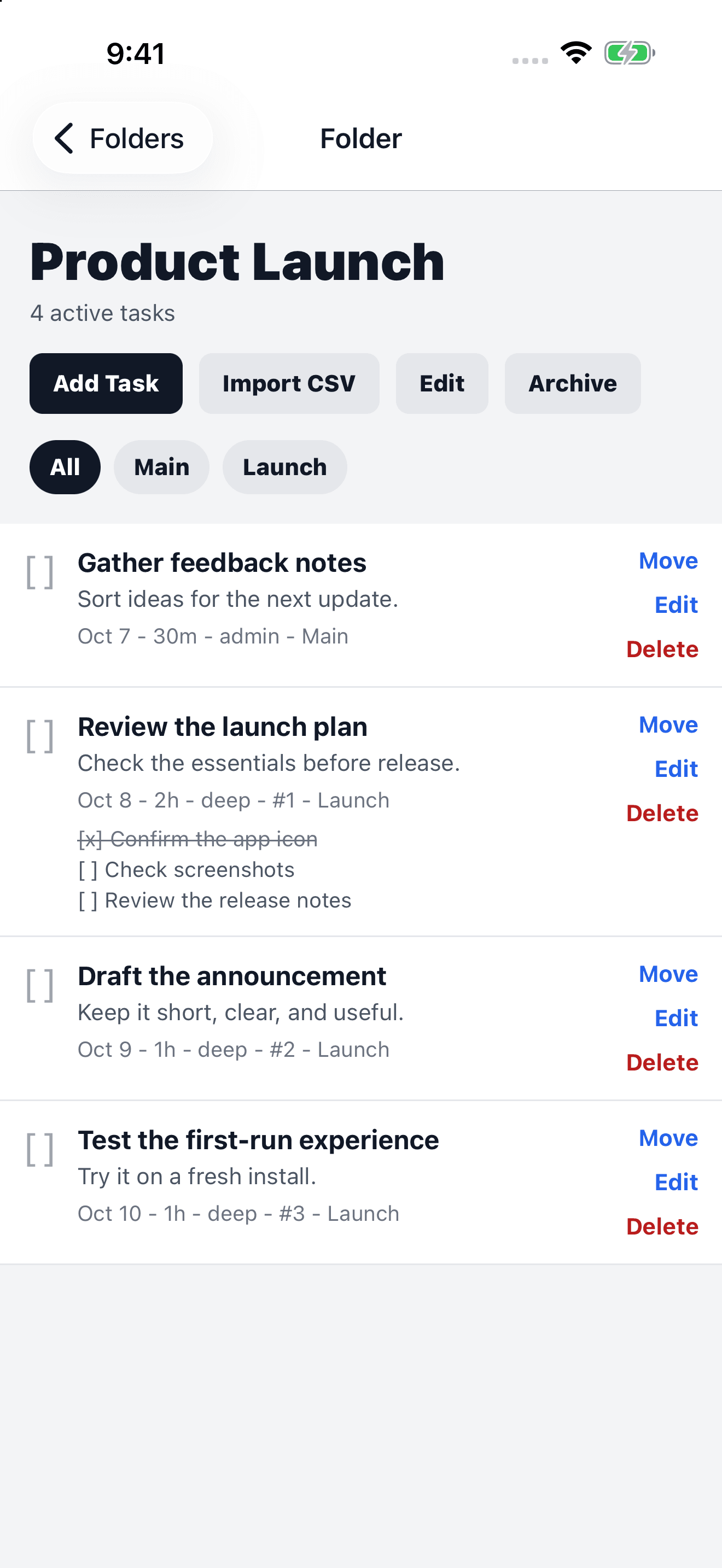
Folders keep related work together, from the first idea to the final checklist.
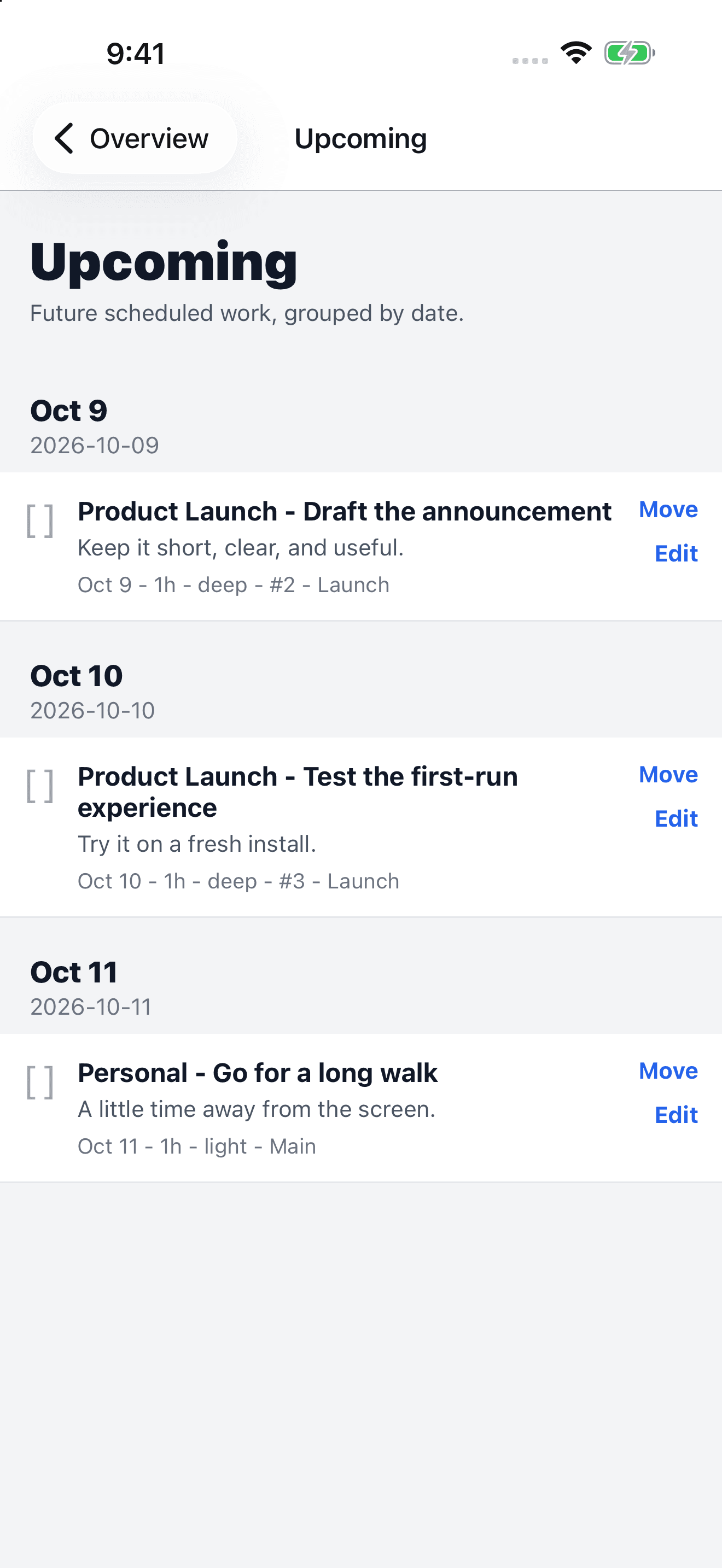
Upcoming groups future work by date, so you can look ahead without losing track of today.
Path stores your tasks locally and works without an account or internet connection. No ads. No analytics. Import a CSV plan or start with one task.
Path by Terzima · Coming soon for iPhone